1
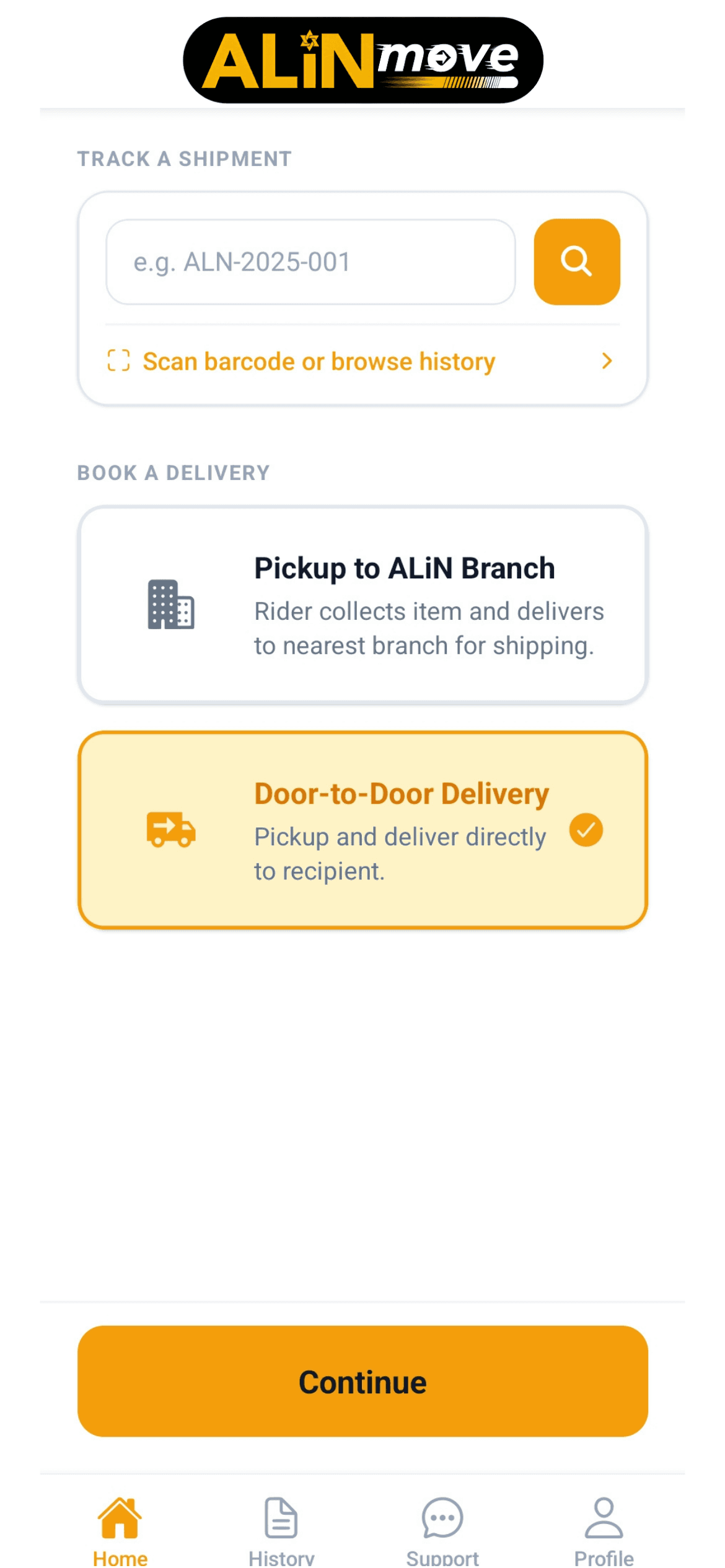
Choose a delivery service
Open the ALiN Move Customer App and choose how you want your package to move.
Door-to-door delivery or pickup to an ALiN branch.

From booking to pickup, tracking, and delivery completion, ALiN Move keeps customers, riders, and branches connected in one real-time logistics network.
Book deliveries, accept jobs, track packages, and complete every delivery with guided app workflows.
10K+
Active riders
500+
ALiN branches
99.9%
Successful deliveries
1M+
Packages delivered
Customer
Create Delivery
Rider
Available Offers
Branch
Live Dispatch
Choose your journey
Whether you are sending, delivering, or coordinating shipments, ALiN Move gives every role a clear next step.
Book a door-to-door delivery or have your package picked up and delivered to an ALiN branch.
See Customer FlowRegister, get approved, accept delivery jobs, and earn for every completed delivery.
See Rider FlowManage rider dispatch, package movements, delivery issues, and branch-level operations.
Branch Operations OverviewFor Customers
ALiN Move lets you book a delivery from your phone, choose the right service, confirm the price, track your rider, and receive proof once the package is delivered.
Open the ALiN Move Customer App and choose how you want your package to move.
Door-to-door delivery or pickup to an ALiN branch.
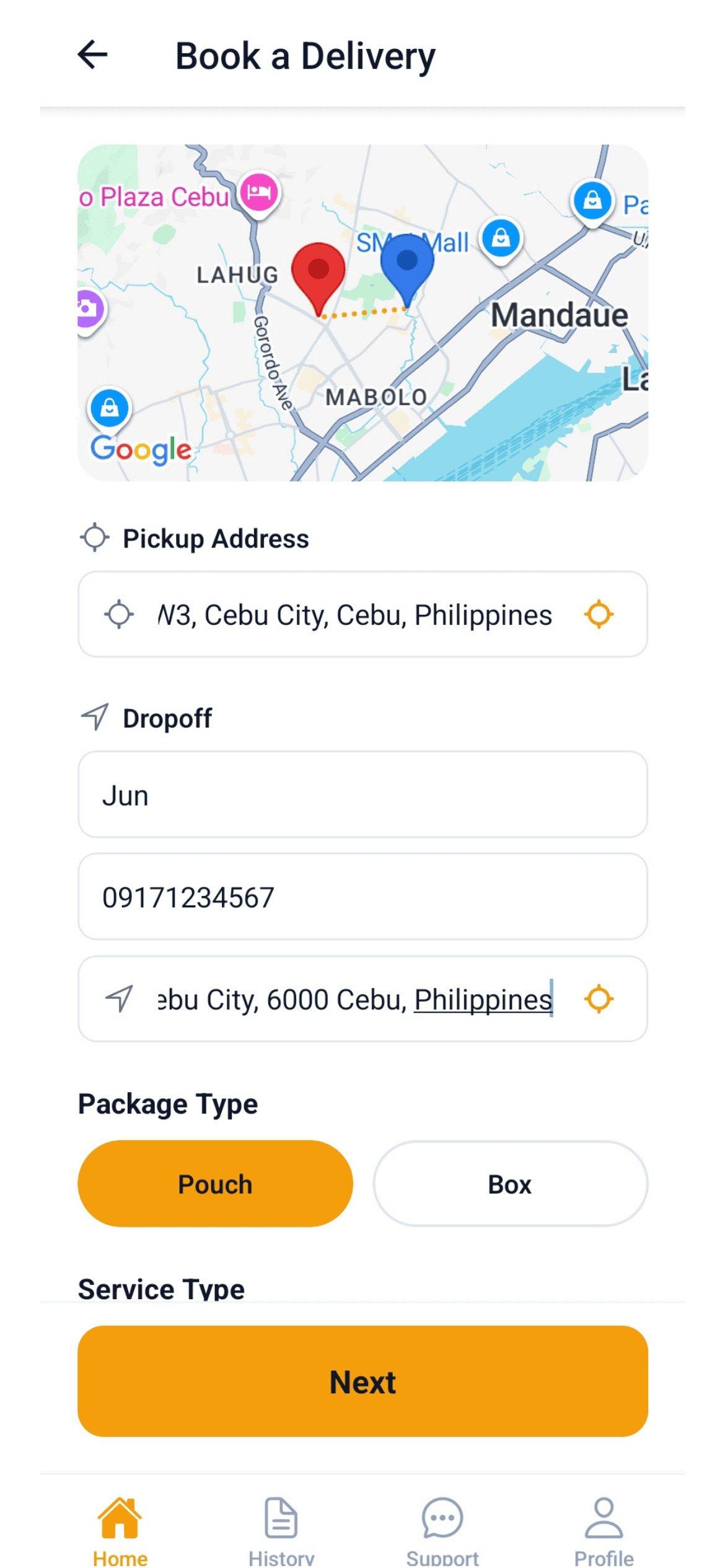
Enter the pickup address, recipient details, destination address, and package type.
Saved addresses make repeat bookings faster.
See the delivery fee before confirming your request.
No guessing. Review the cost before dispatch.
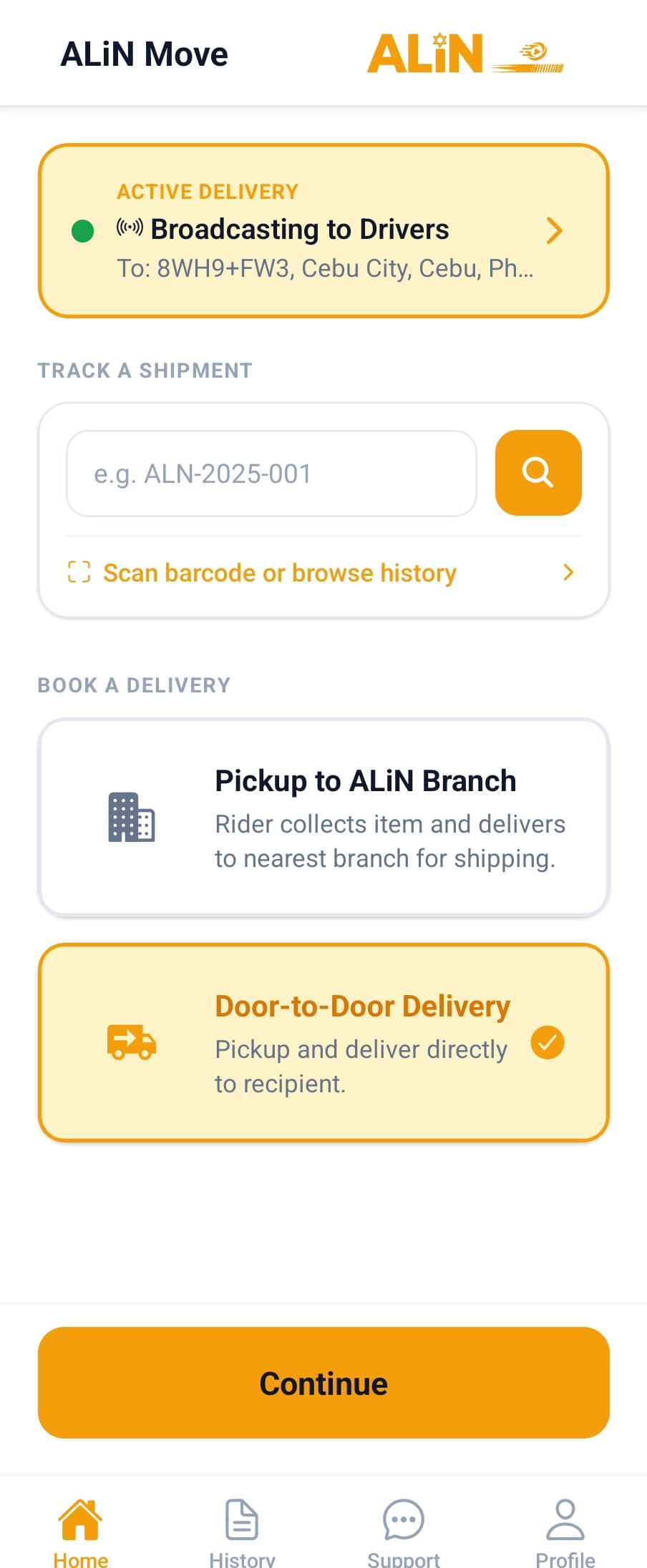
Your request is broadcast to available riders near your pickup location.
See rider details and progress inside the app.
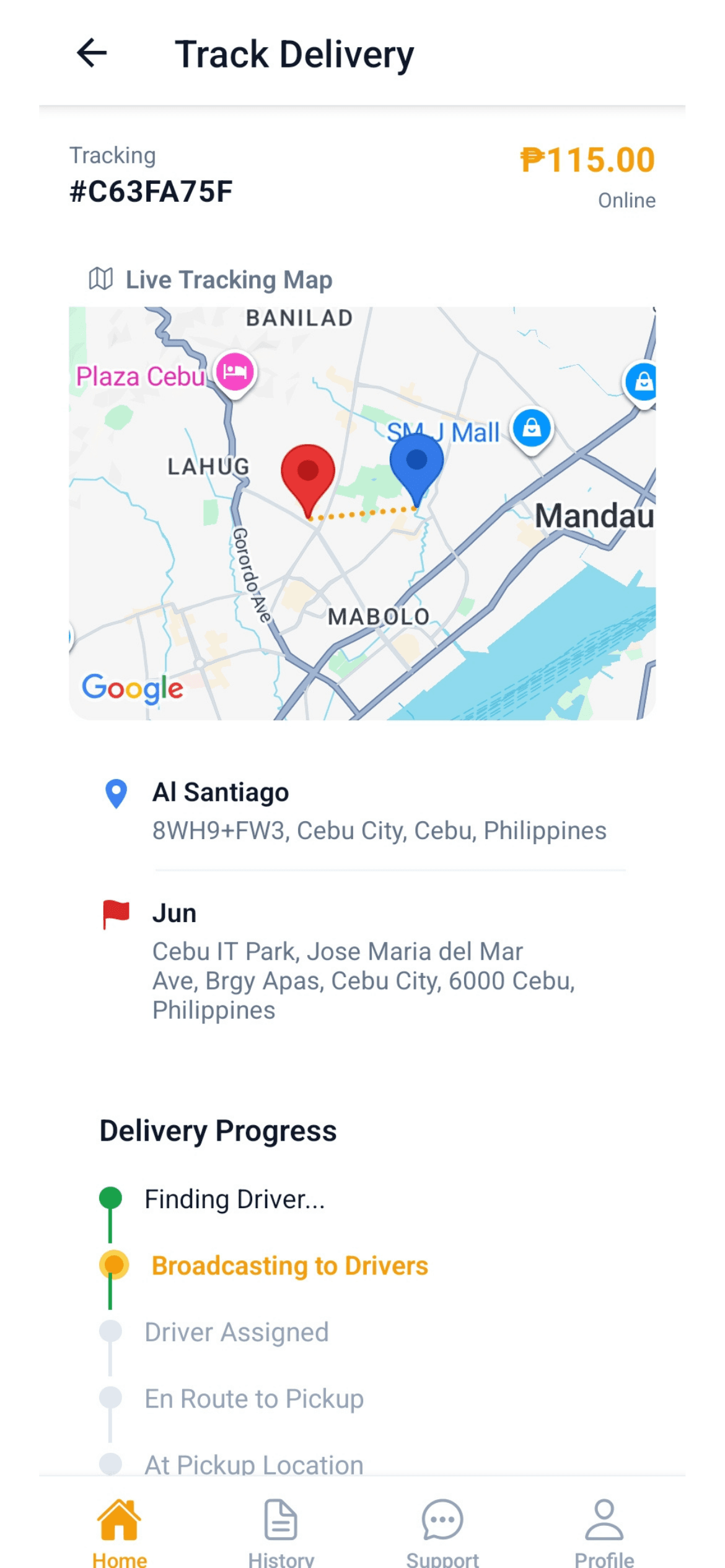
Follow your delivery from pickup to destination with clear status updates.
Customers, branches, and HQ stay aligned.
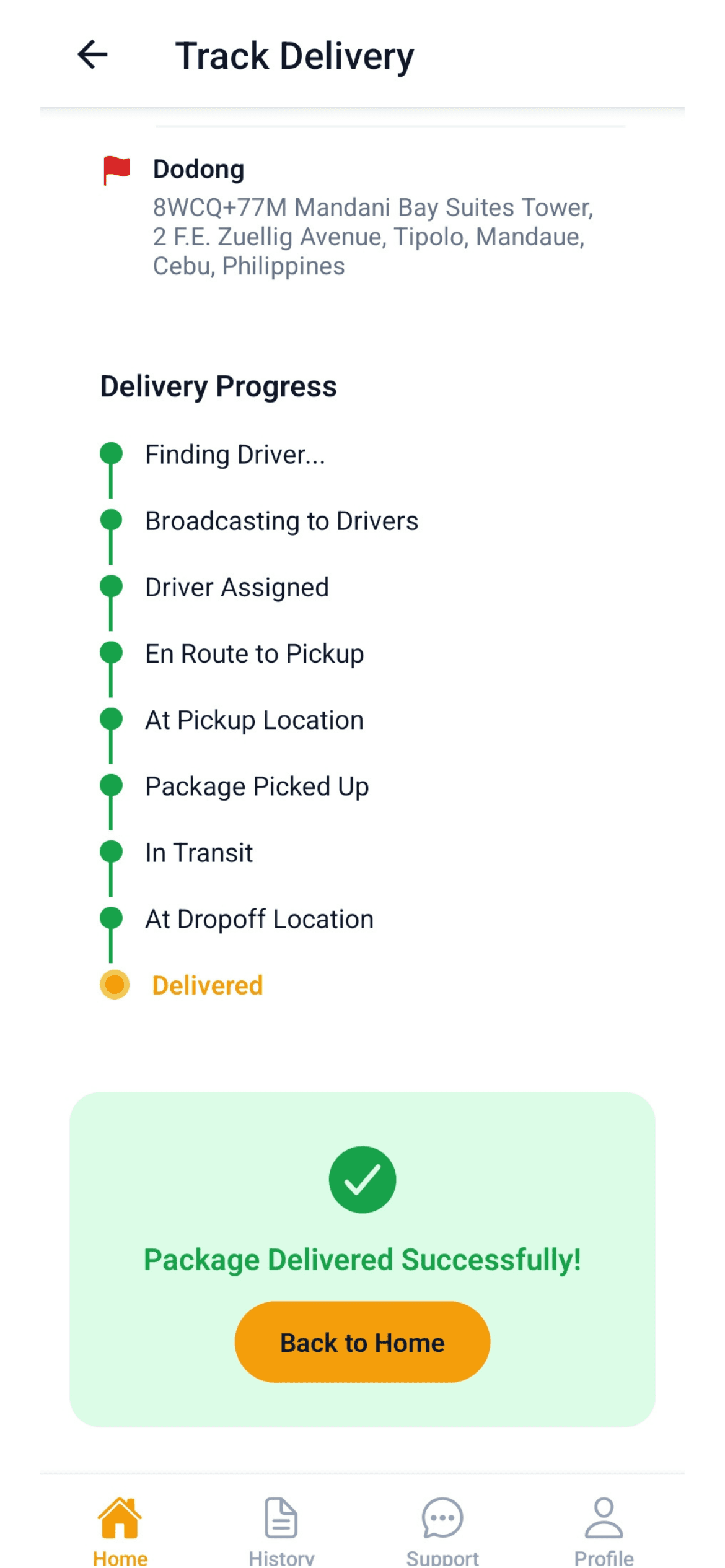
View the delivery receipt, status timeline, and proof of delivery for your records.
Every delivery is verified before completion.
Best for direct local deliveries. A rider picks up from your location and delivers straight to the recipient.
Book Door-to-DoorBest for cargo processing and branch-based shipments. A rider brings your package to an ALiN Cargo Express branch for the next step.
Book Pickup to BranchFor Riders
ALiN Move gives riders a guided delivery workflow, from registration and approval to job offers, pickup confirmation, navigation, proof of delivery, and earnings tracking.
Sign up using your mobile number and complete your rider profile with personal and vehicle information.
Submit identification and vehicle documents for review so the platform stays safe and reliable.
Your application will be reviewed. Once approved, you can be assigned to a branch and start receiving delivery jobs.
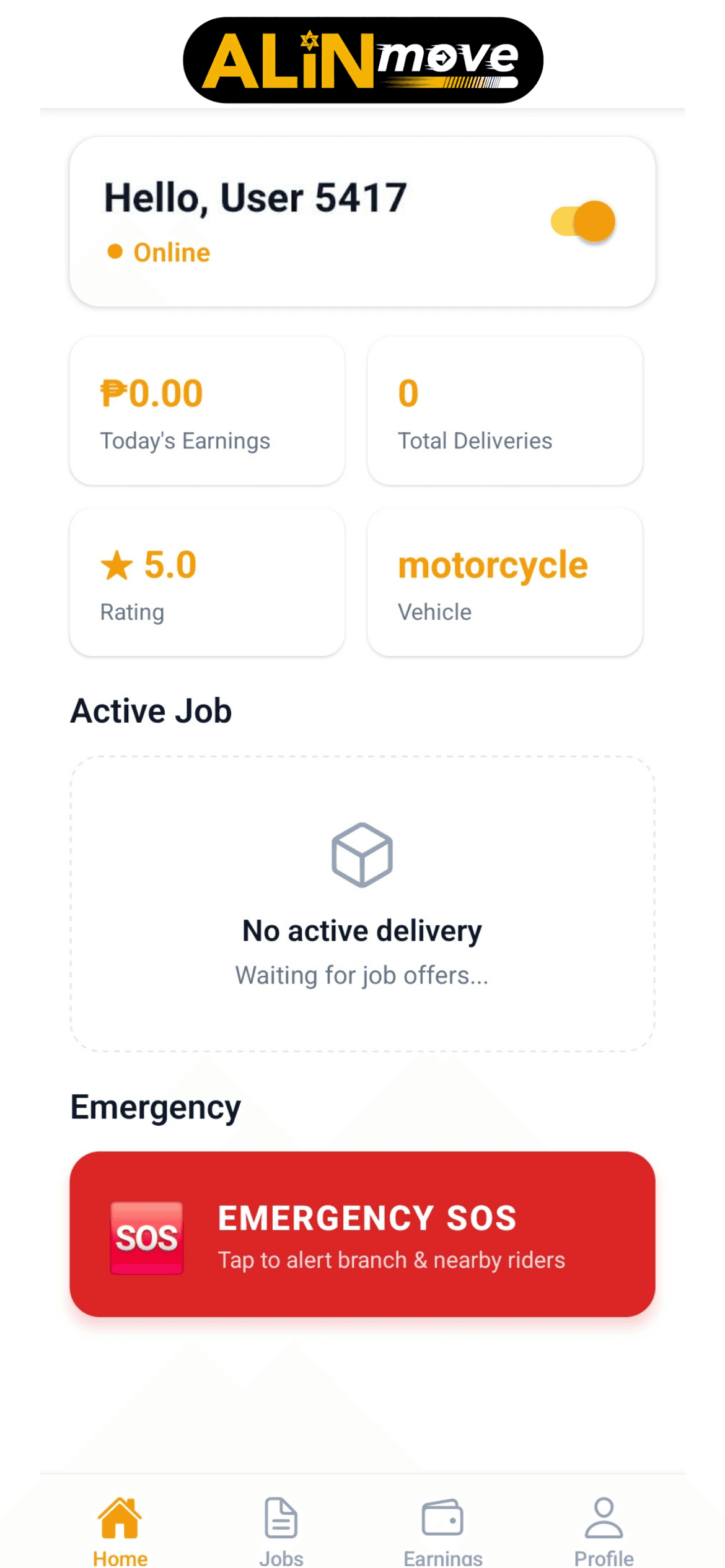
Set your availability, view alerts, track performance, and see available delivery opportunities.
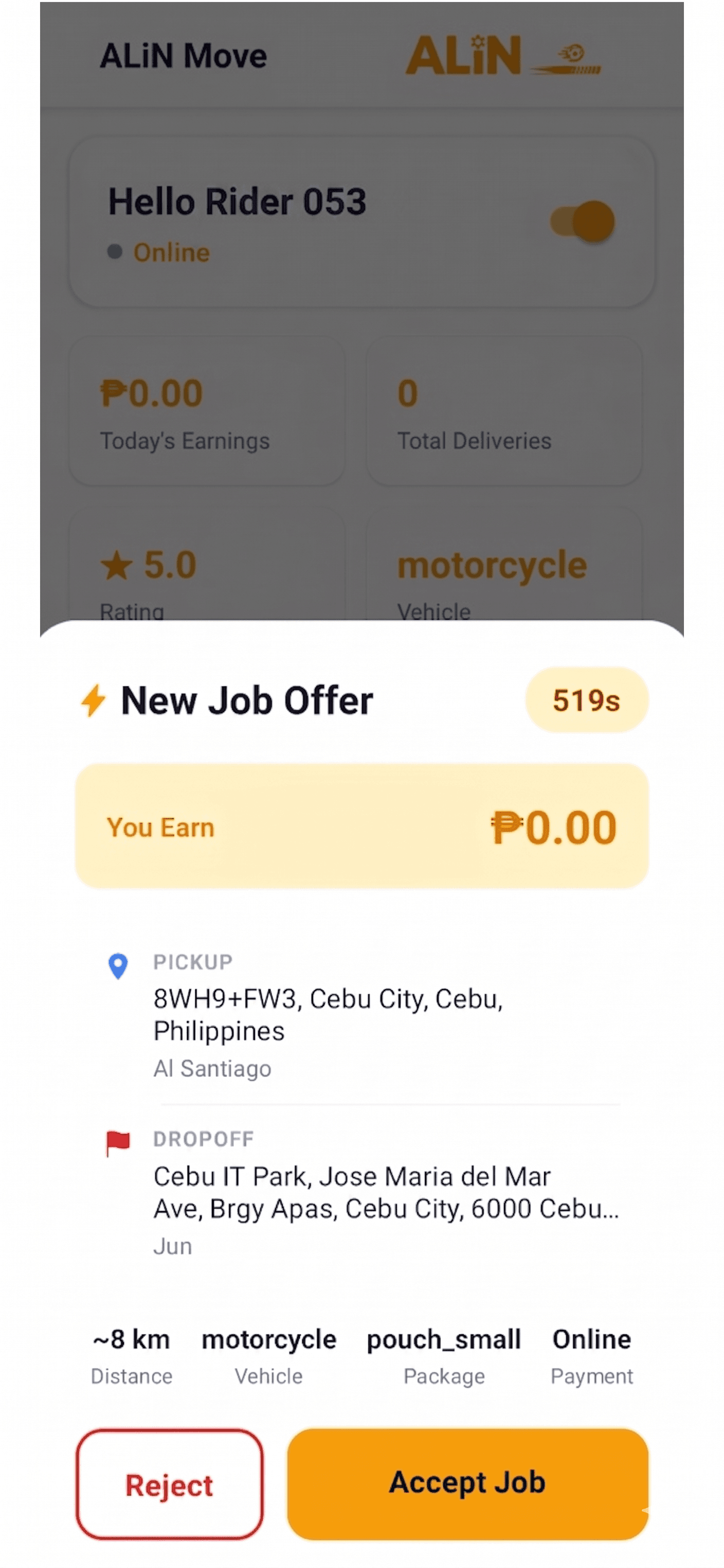
Review pickup, destination, parcel details, service type, and payout before accepting.
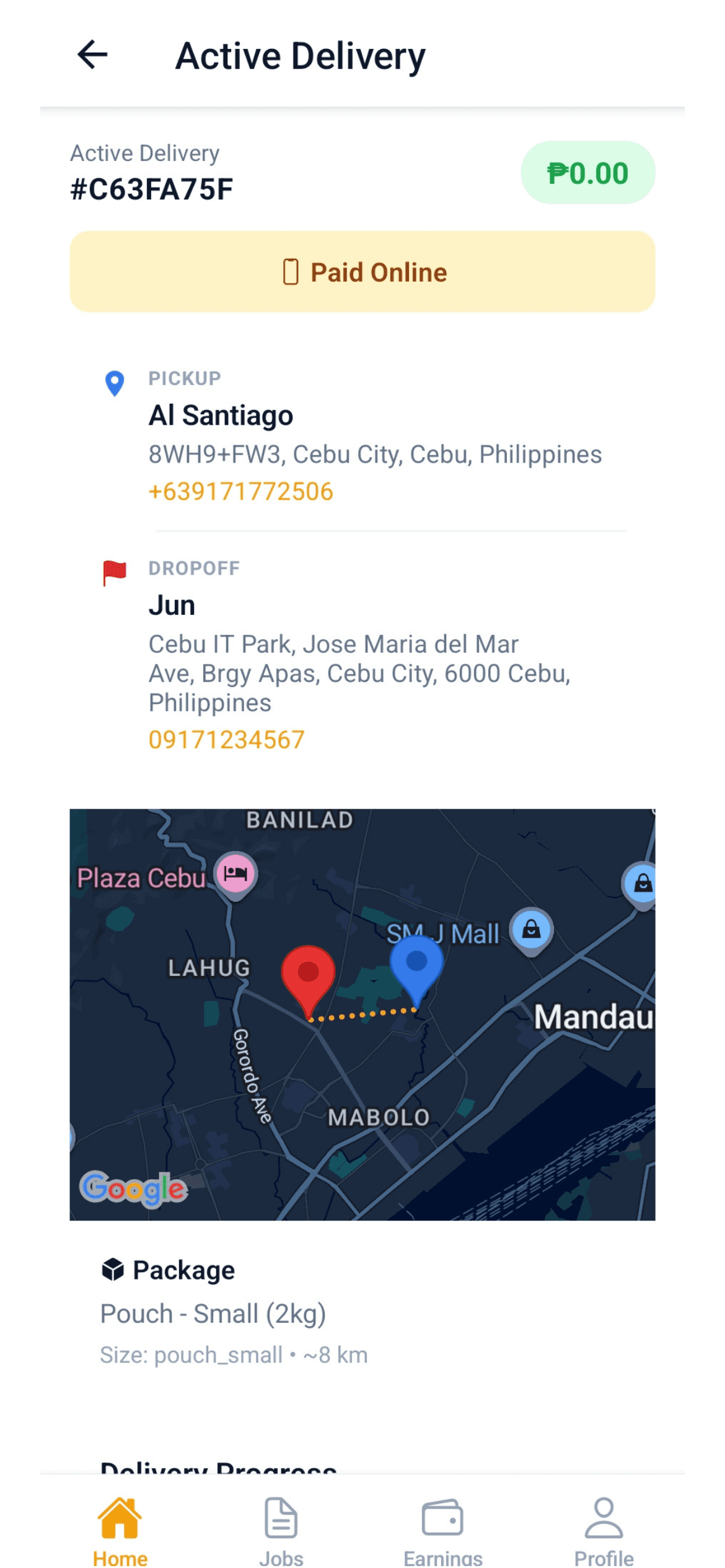
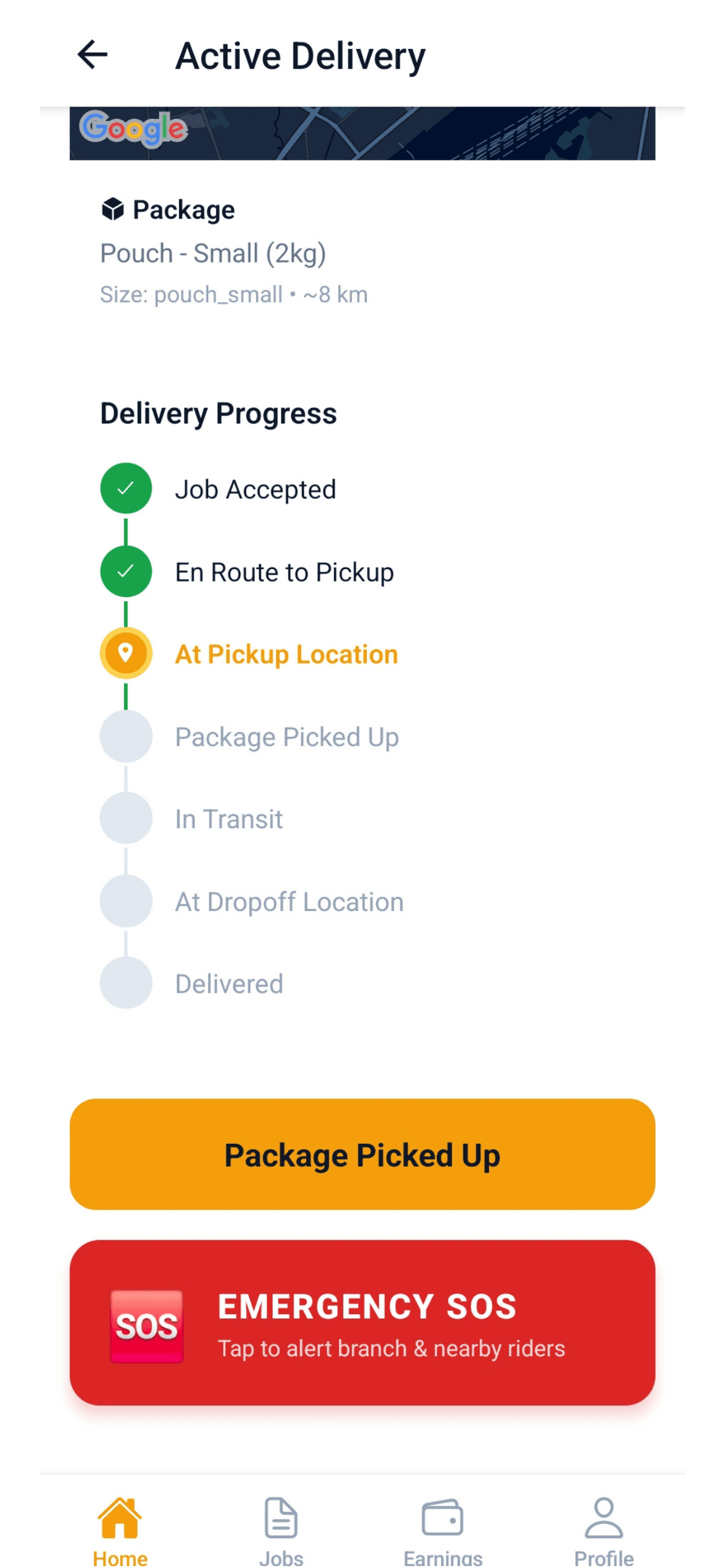
Confirm pickup using QR scan, barcode scan, or OTP, then follow in-app route guidance.
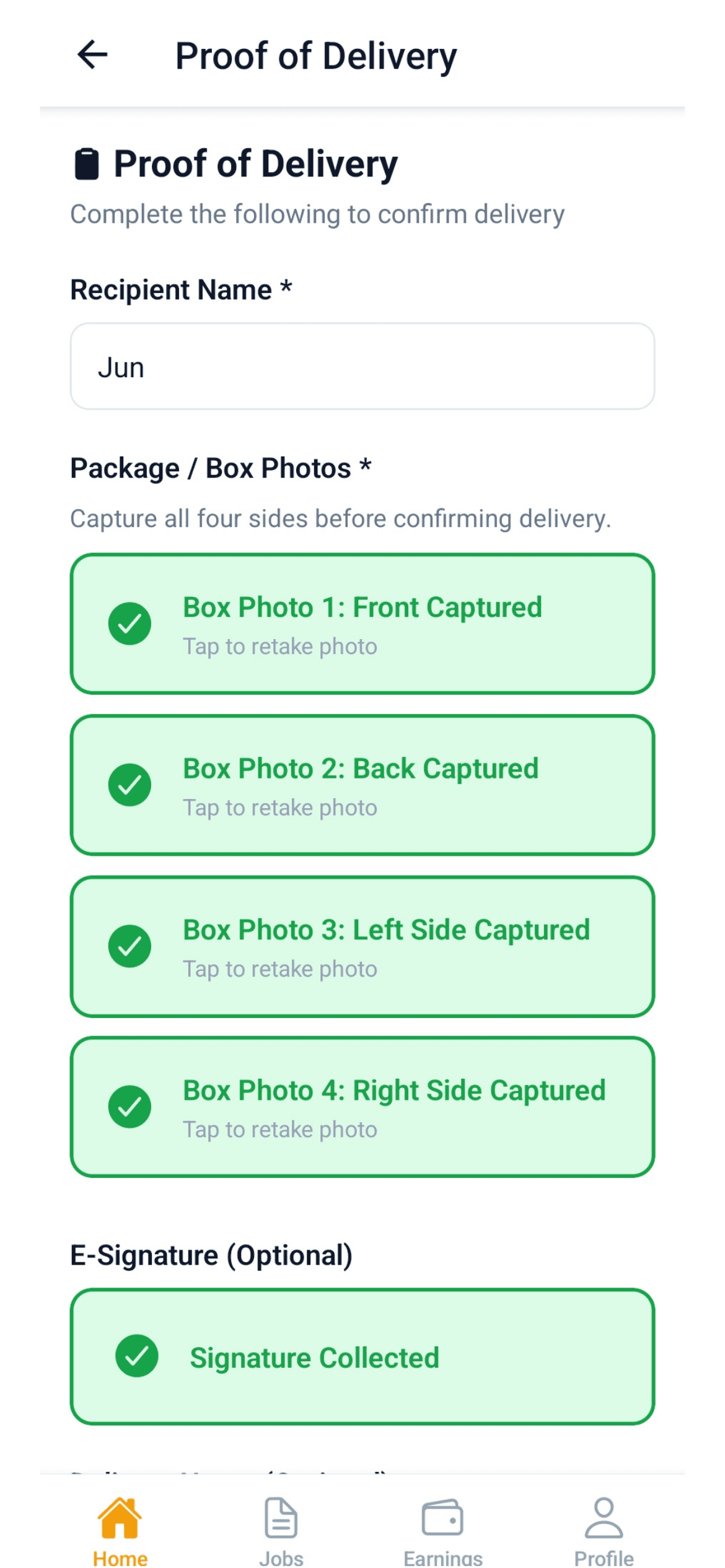
Complete the job with recipient confirmation, photo evidence, or signature when required.
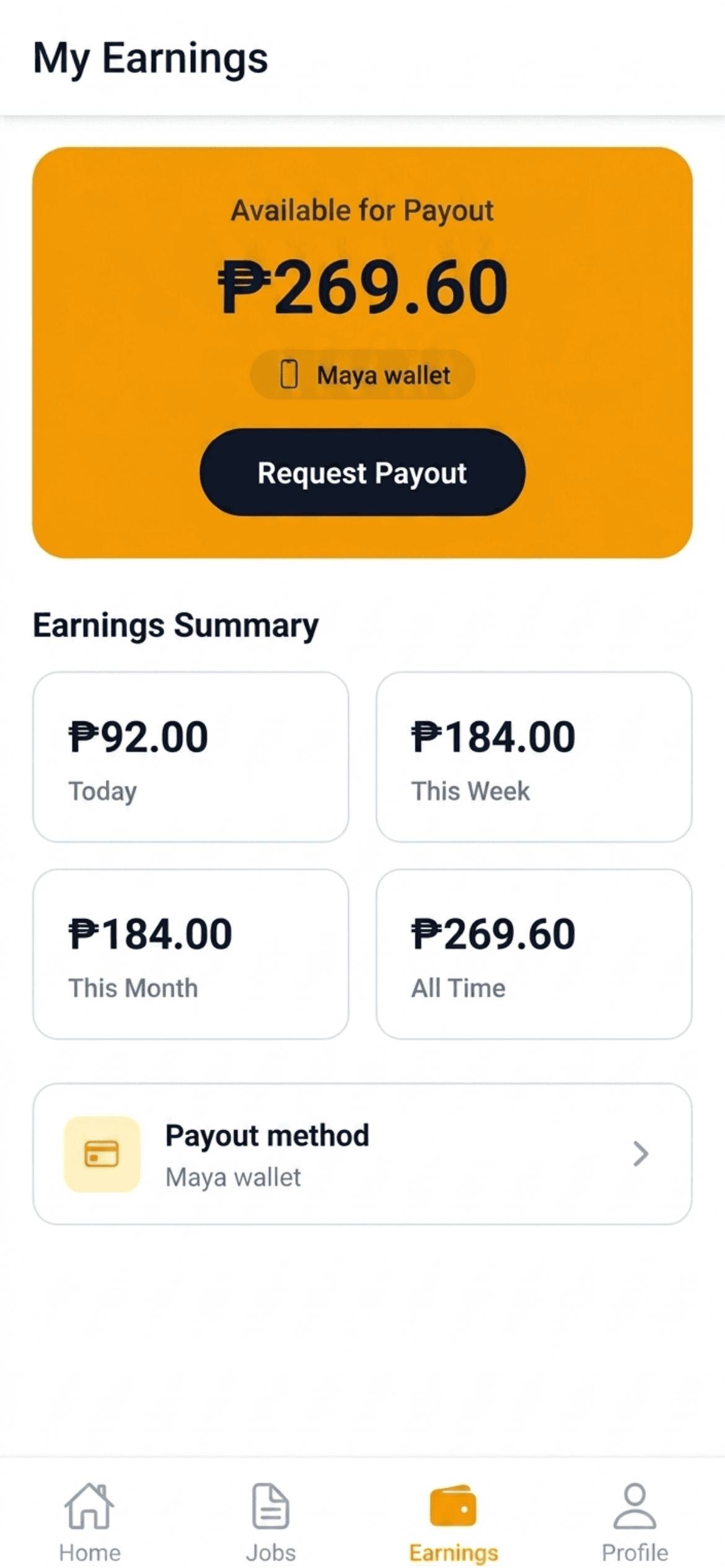
View completed jobs, delivery details, receipts, and earnings records directly inside the app.
Branch-supported logistics
Unlike ordinary delivery apps, ALiN Move connects app-based bookings with ALiN Cargo Express branches. This allows local deliveries, pickup-to-branch movement, branch dispatching, cargo processing, and operational monitoring to work together in one platform.
Book, track, and manage deliveries.
Accept, deliver, and earn.
Process, sort, dispatch, and support.
Monitor in real time and support operations.
Delivery status timeline
ALiN Move keeps every party updated with clear delivery statuses from booking to completion.
Rider timeline
Offer Available -> Offer Accepted -> Arrived at Pickup -> Pickup Confirmed -> Navigation Started -> Arrived at Drop-Off -> Delivery Confirmed -> Job Completed
Customers know what to enter, what to pay, and what happens next.
Riders follow step-by-step actions from acceptance to delivery completion.
Customers, branches, and HQ can monitor movement and status updates.
Pickup-to-branch and branch-to-customer jobs connect app delivery with ALiN Cargo Express operations.
Delivery timelines, receipts, and proof of delivery help reduce disputes.
Yes. You can book a rider to pick up your package and deliver it directly to your recipient.
Yes. Choose Pickup to ALiN Branch if you want a rider to collect your package and bring it to an ALiN Cargo Express branch for processing or onward shipment.
Riders receive available delivery offers through the ALiN Move Rider App. They can review the job details before accepting.
The app shows delivery status updates and tracking information so you can monitor your package until it is delivered.
The rider can log the issue in the app, and the branch or support team can help resolve the delivery exception.
Yes. ALiN Move can support different vehicle types, and jobs may be matched based on vehicle capacity and delivery requirements.

Book your next delivery from your phone, or start accepting jobs and earning from deliveries.
ALiN Move - Move smarter. Deliver faster. Grow together.